

In your restaurant
Mobile order-takingTake the order from the server's phone.KDS and kitchenThe kitchen sees everything, in order and on time.Table editorDraw your floor plan as it really is.Payments and growth
Get paid and split checksSplit the check without fighting the calculator.WhatsApp reservationsReservations arrive where guests already message you.Promotions and loyaltyReward guests who come back.Delivery integrationsUber, Rappi, and DiDi in the same POS.Digital menu
Digital menu for guests
Your guests browse the menu, order, and pay from their table.
See demoMobile waiter app
The waiter app on your server's phone.
Take orders at the table and send them to the kitchen in one tap. By guest, with modifiers and notes. No paper tickets and no trips back to the register.
Start with a free first month.
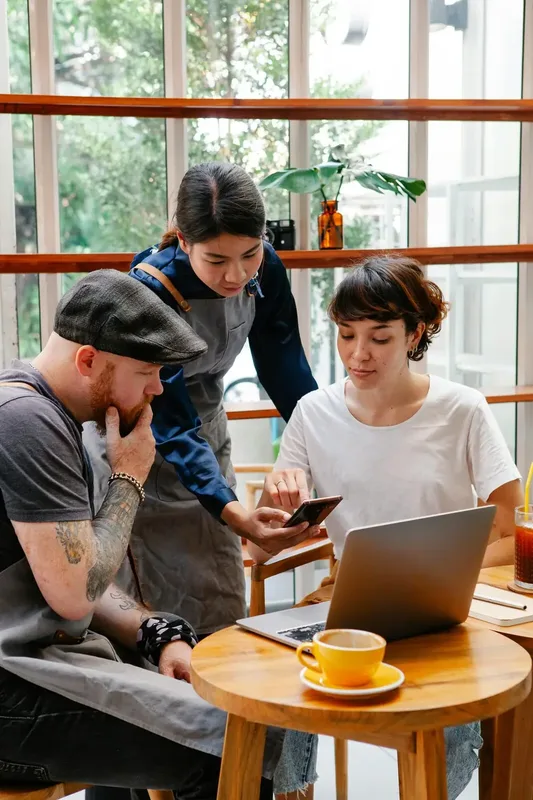
The waiter app lets your staff take orders directly at the table from their own phones. Every item goes instantly to the kitchen and the check, with no re-entry at the register and no lost tickets.
From table to kitchen in one tap.
Choose the table and guest
Open the table, mark who each item is for, and start taking the order. A single order can include multiple guests and seats.
Build the order with modifiers
No onions, medium, extra cheese, to go. Add notes and modifiers easily, just like you would tell the cook.
Send to kitchen in one tap
One button and the ticket appears on the kitchen KDS. Servers stay on the floor instead of walking to the register to enter orders.
Collect payment when they finish
At closeout, the check already includes everything they ordered. Take card, cash, or bank transfer and issue invoices in the same step.
For a 10-table restaurant with 2 servers
Two servers, ten tables, lunch rush. With the waiter app, each server takes orders from their phone and sends them to the kitchen without walking to the register. Fewer trips, fewer entry errors, and faster table turns because food goes out sooner.
“My servers take orders at the table and no longer wait in line at the register. We serve more guests without hiring anyone.”
- Asado del Barrio
Tuesday - lunch rush
- Servers on floor2
- Trips to register per order0
- Order-entry errors-90%
- Table turnover+38%
Frequently asked questions
Does it work on my servers' phones?
Yes. The waiter app runs on relatively recent Android phones and iPhones. Your team can use the devices they already carry.
Will it work if reception is weak in the dining room?
Today the handheld needs a connection. Taking orders without internet is on the way and runs as a pilot with a few restaurants; once it is on, anything taken offline syncs with the kitchen and the register when the connection returns.
Does it handle modifiers, notes, and combos?
Yes: doneness, extras, no ingredients, free-form notes, half portions, and combos. Everything reaches the kitchen exactly as entered.
How many devices can I connect?
As many as you need. You can connect all phones and tablets with no extra fee.
Can servers take payment from their phone?
Yes. They can open the pre-check, split, and collect payment from the same phone, or hand the order off to the register if you prefer to centralize checkout.
Download it and try it yourself.
Sign in with the demo account, set up your dining room, and explore the whole app without registering. When you're ready, start with your own data.
Free for Android and iPhone.
Start free, sell the same day.
Free first month. Send your menu and start operating today, with no equipment or contracts.