

In your restaurant
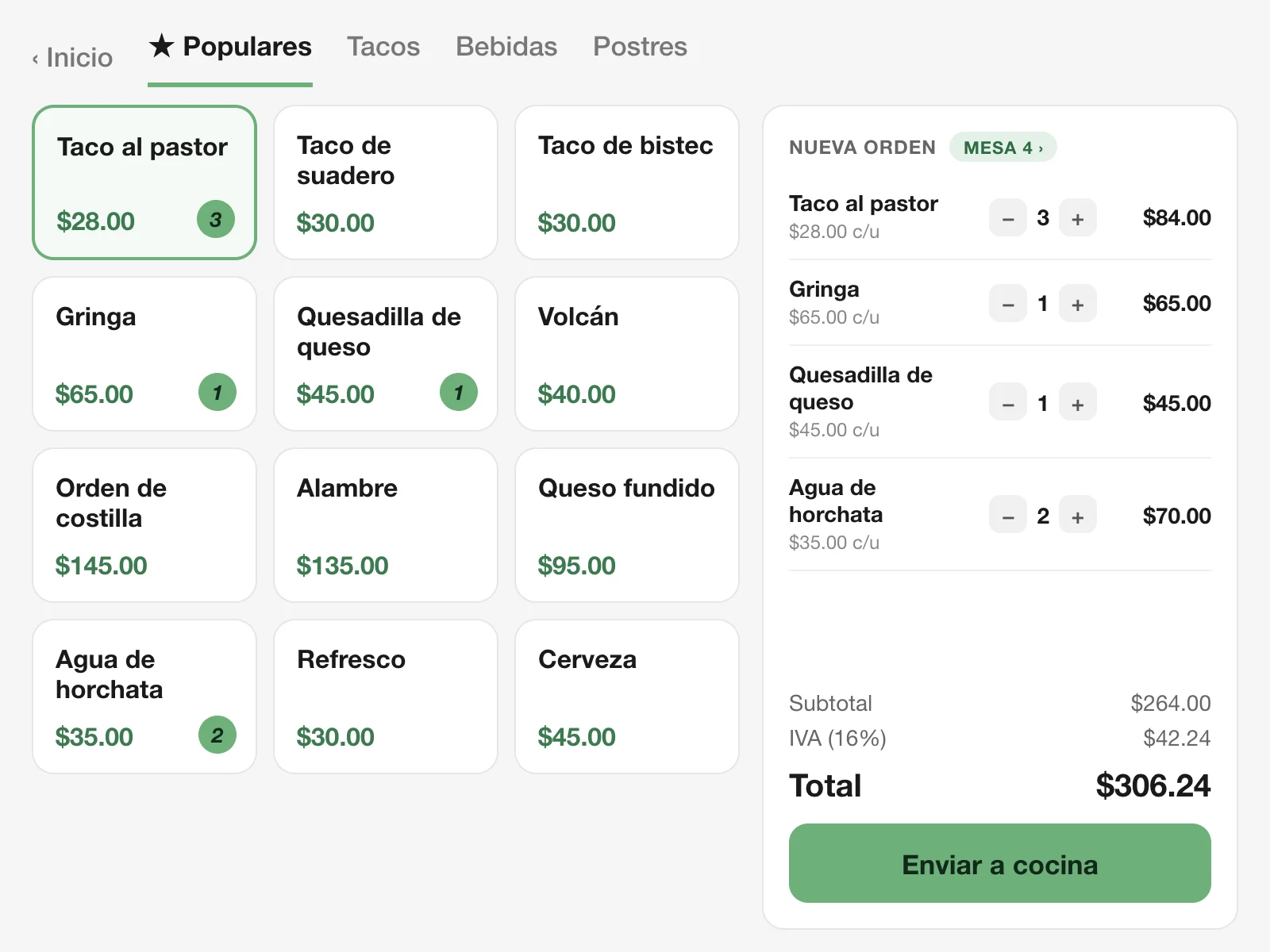
Mobile order-takingTake the order from the server's phone.KDS and kitchenThe kitchen sees everything, in order and on time.Table editorDraw your floor plan as it really is.Payments and growth
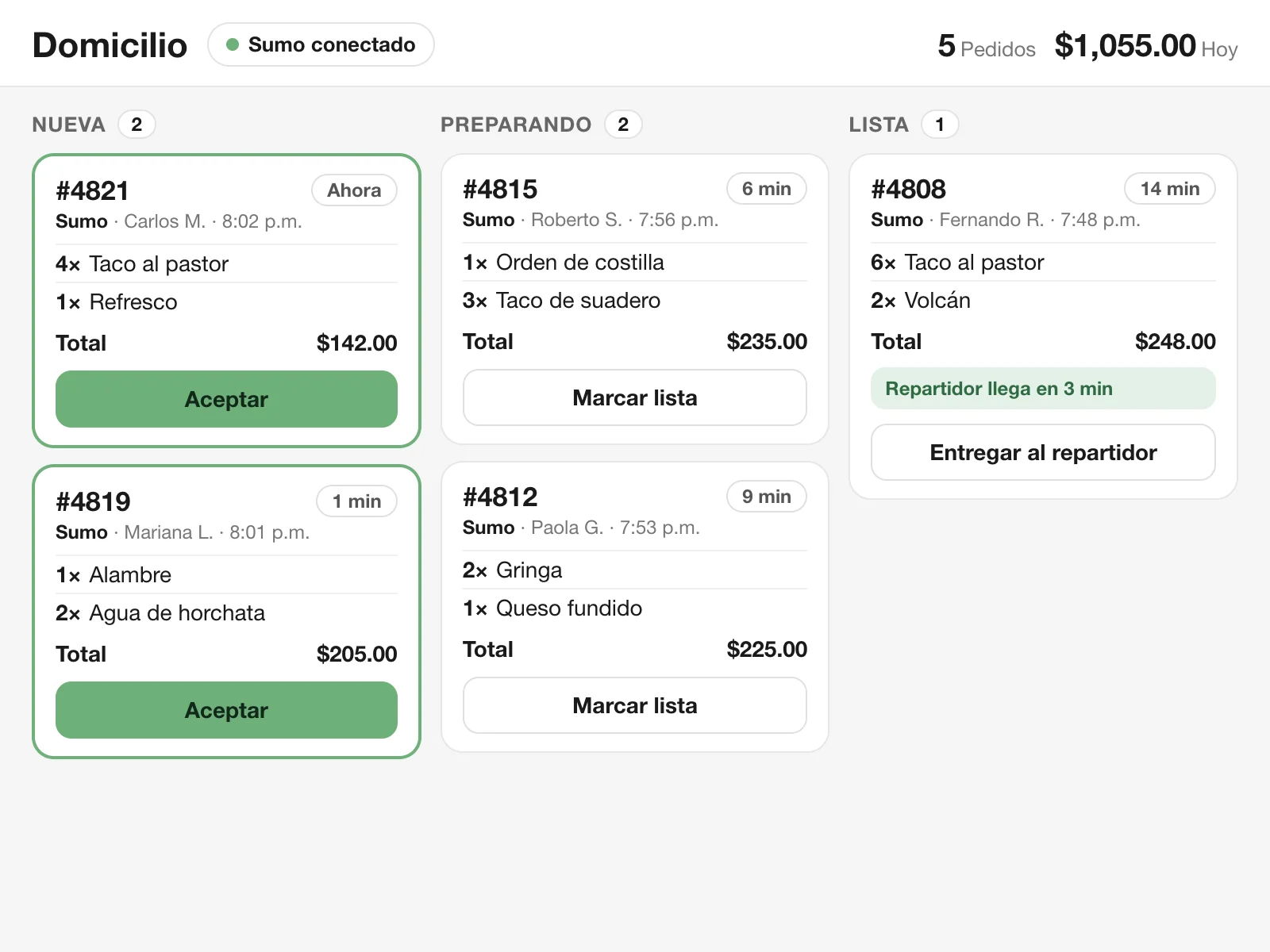
Get paid and split checksSplit the check without fighting the calculator.WhatsApp reservationsReservations arrive where guests already message you.Promotions and loyaltyReward guests who come back.Delivery integrationsSumo orders straight to your kitchen.Digital menu
Digital menu for guests
Your guests browse the menu, order, and pay from their table.
See demoReservations
Today's and tomorrow's reservations, in one list.
Add them in the app, in the web panel, or ask the agent. Each one gets its table, and the floor plan marks it as reserved.
Included from the Basic plan ($89 a month), first month free.
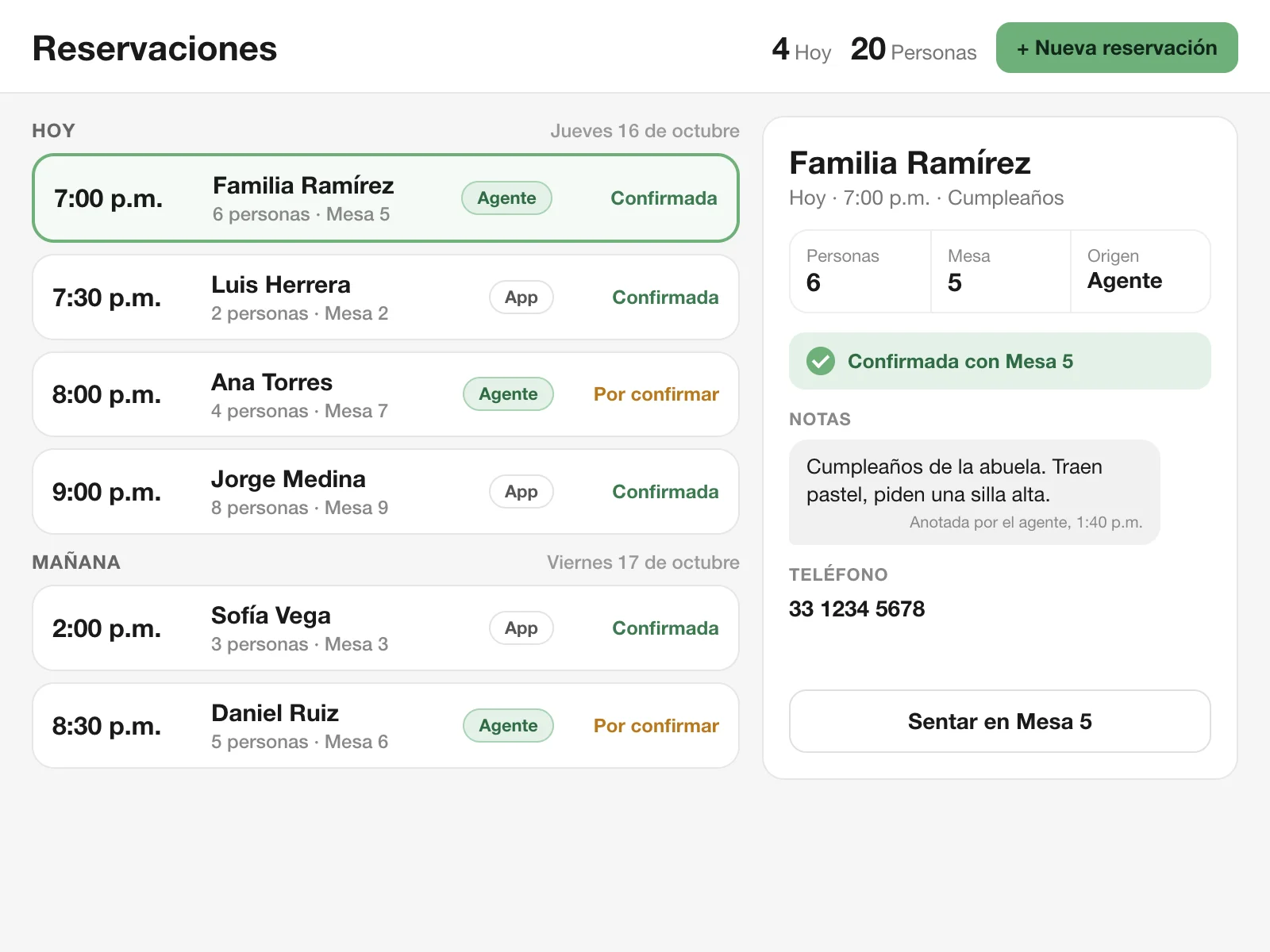
Each reservation keeps the name, phone, day, time, party size and table. You see it in the iPad or phone app and in the web panel. When you save it, Oden checks that the table is not already booked at that time, and warns you if it is.
How a reservation gets to your dining room
- 01
Add it in a minute
Someone calls or messages, and in the app or the panel you enter name, phone, day, time and party size. You can also dictate it to the AI agent, on WhatsApp or in the app.
- 02
Confirm it with its table
To confirm it you assign a table. If that table is already booked at that time, Oden tells you, and the floor plan shows it as reserved with the time and the name.
- 03
They arrive and you seat them
Mark the arrival and open the check from the same table. If an hour goes by and nobody showed up, Oden marks it as a no-show and frees the table.
For the place that fills up on weekends
On Friday, reservations come in by phone, by message, and from people who stopped by to ask. They used to live in a notebook next to the register. Now whoever is on the floor opens the day's list, sees which table goes to whom, and the floor plan already shows the reserved ones. The owner, from home, asks the agent how many there are for tomorrow.
How it works
- Length per reservation90 min
- Table freed if they don't show, after60 min
- What the agent tells youToday and tomorrow
- Included fromBasic plan
Frequently asked questions
Who can add a reservation?
Anyone on your team allowed to take orders, from the app or the web panel. You can also ask the AI agent in a message, for example: book a table for 6 on Saturday at 8 under Laura.
What does the agent do with reservations?
It creates a new one with the details you give it and tells you today's and tomorrow's. Before saving, it shows you the details so you can say yes. To move or cancel one, go to the app or the panel.
Can I see the reservation on the floor plan?
Yes. When a reservation has a table, that table shows as reserved, and tapping it shows the time and whose name it's under.
What if they don't show up?
Mark it as a no-show with one tap. If nobody does, an hour after the reserved time Oden marks it on its own and the table is free again.
Which plan includes them?
The Basic plan, together with the full AI agent. Pro only adds multiple locations and your own domain.
Download it and try it yourself.
Sign in with the demo account, set up your dining room, and explore the whole app without registering. When you're ready, start with your own data.
Free for Android and iPhone.
Works together with
See all features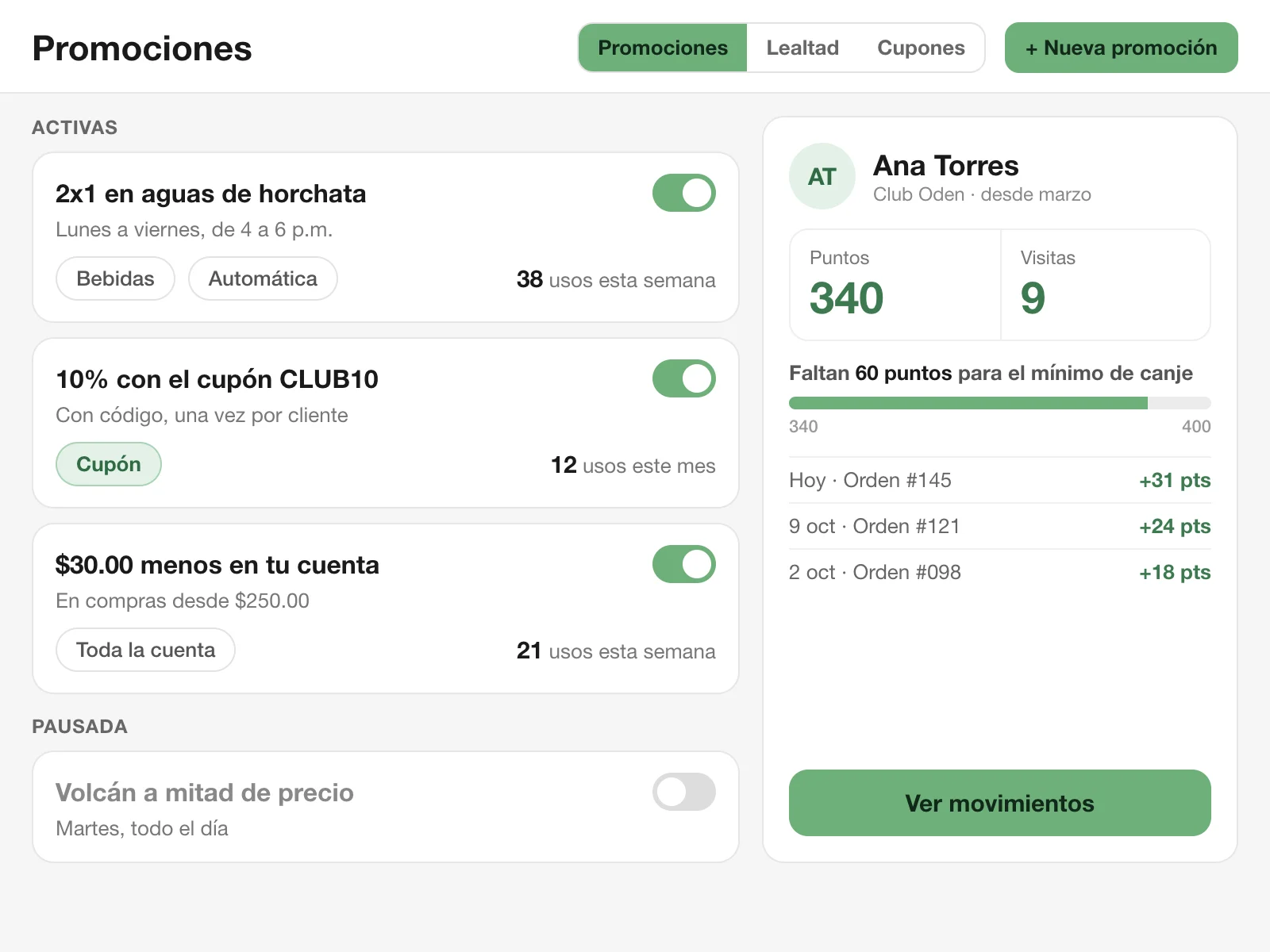
Start free, sell the same day.
Free first month. Send your menu and start operating today, with no equipment or contracts.
Included from the Basic plan ($89 a month), first month free.