

In your restaurant
Mobile order-takingTake the order from the server's phone.KDS and kitchenThe kitchen sees everything, in order and on time.Table editorDraw your floor plan as it really is.Payments and growth
Get paid and split checksSplit the check without fighting the calculator.WhatsApp reservationsReservations arrive where guests already message you.Promotions and loyaltyReward guests who come back.Delivery integrationsUber, Rappi, and DiDi in the same POS.Digital menu
Digital menu for guests
Your guests browse the menu, order, and pay from their table.
See demoPro visual floor editor
The best editor to mirror your venue.
Replicate your space exactly as it is, drag and arrange every table, add reference elements, configure layouts, and keep it fully comfortable so your team can track tables smoothly.
Start with a free first month.
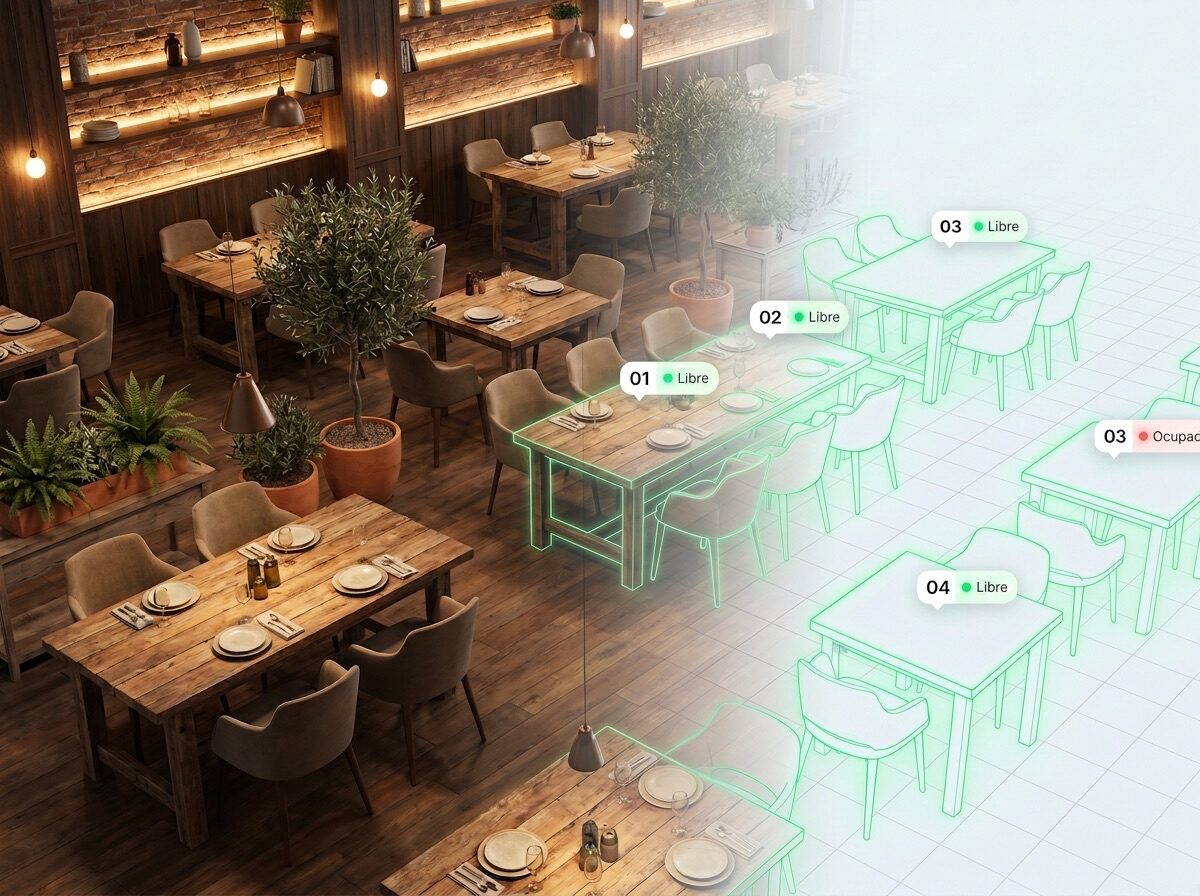
Drag and build your map
Round, square, or bar tables. Drag, rotate, and resize until the layout matches your venue.
A view for each shift or location
Save multiple layouts for the same venue (lunch, night, patio) or per branch and switch between them in one tap. During service, the map updates live: available, occupied, reserved, or ready.
Map the full venue, not only tables
Add walls, bar, register, kitchen, restrooms, and storage as references. Your team orients instantly without anyone having to explain the floor map.
For a 16-table restaurant with a patio
A dining room with 16 tables plus patio seating. At shift change, the host can instantly see what is available, what will clear soon, and what is reserved for the evening. Assign tables faster and stop walking around to verify status.
“I mapped my space exactly as it is. Now anyone on the team understands the floor plan without me explaining it.”
- Asado del Barrio
Friday - 8:15 p.m.
- Available9
- Occupied5
- Reserved2
- Time to seat-40%
Frequently asked questions
Can I move tables however I want?
Yes. Drag each table where it belongs, change shape and size, and assign the name or number you use in your restaurant.
Can I keep different layouts (morning, night, patio)?
Yes, with views. Create multiple layouts for the same venue (for example one for lunch and another for evening, or one with patio open) and switch in one tap. Each table appears in the views you choose.
Does status update automatically?
Yes. As orders open, checks are paid, or tables are reserved, the map color changes in real time for the whole team.
Can I combine tables for a large party?
Joining tables in the system is not available yet. For now, when a large group arrives, open the check on one of the tables you pushed together and that one check covers the whole group.
Does it work for patio or outdoor seating?
Yes. Add patio or outdoor tables to the map, and if you only use them on certain shifts, keep them in their own view so they are ready when needed.
Download it and try it yourself.
Sign in with the demo account, set up your dining room, and explore the whole app without registering. When you're ready, start with your own data.
Free for Android and iPhone.
Start free, sell the same day.
Free first month. Send your menu and start operating today, with no equipment or contracts.