

In your restaurant
Mobile order-takingTake the order from the server's phone.KDS and kitchenThe kitchen sees everything, in order and on time.Table editorDraw your floor plan as it really is.Payments and growth
Get paid and split checksSplit the check without fighting the calculator.WhatsApp reservationsReservations arrive where guests already message you.Promotions and loyaltyReward guests who come back.Delivery integrationsSumo orders straight to your kitchen.Digital menu
Digital menu for guests
Your guests browse the menu, order, and pay from their table.
See demoDelivery integrations
Delivery orders go straight to your kitchen.
Today we connect Sumo. The order reaches the POS with its items and modifiers, the kitchen ticket prints, and nobody types it in again. Uber Eats is on the way.
Included from the Basic plan ($89 a month), first month free.
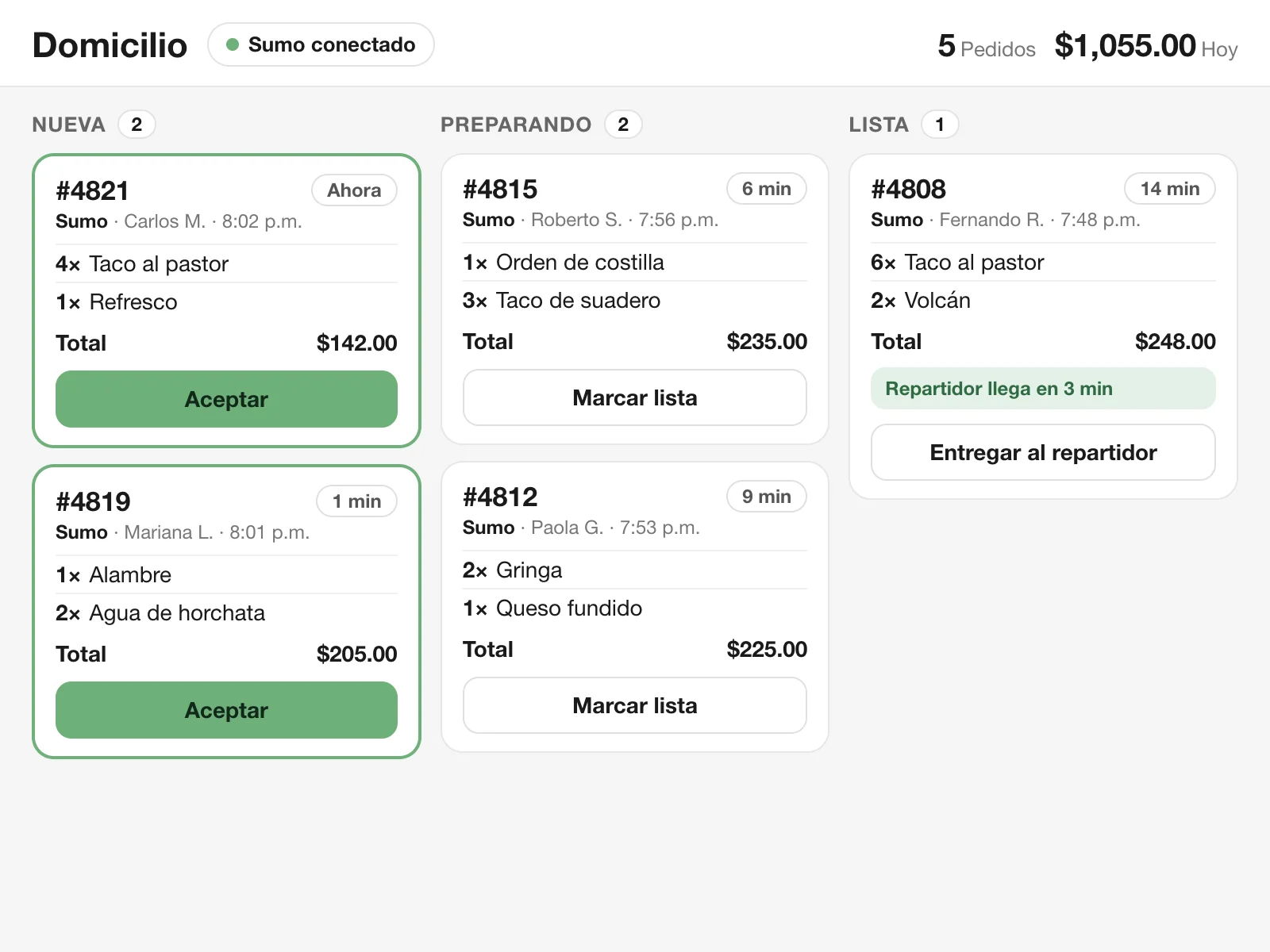
With Sumo connected, every order reaches Oden like any other: it chimes on the POS, the kitchen ticket prints, and it shows up on the kitchen screen. Your menu comes from Oden and you publish it to Sumo with one button. Sales land in your reports next to dine-in and counter sales.
From a Sumo order to your kitchen
- 01
We set up the connection
We connect your Sumo account to Oden. No hardware to buy and nothing to install.
- 02
You publish your menu
From the dashboard you send your menu to Sumo with one button. Anything that is not on your Oden menu gets turned off there.
- 03
The order comes in by itself
It arrives with items, modifiers and notes. It chimes on the POS, the kitchen ticket prints, and it lands on the kitchen screen.
- 04
Sumo sees the progress
When your team moves the order forward, Sumo gets the update. If you mark something as sold out, it stops selling there too.
For businesses already selling on Sumo
On a Friday night, orders come in from Sumo, the counter and the tables at the same time. They all land in the same kitchen and nobody is copying orders from a tablet into the POS. The pozole runs out, the owner tells the agent on WhatsApp, and it stops selling on the POS and on Sumo.
One Sumo order
- Orders typed by hand0
- Kitchen ticketAutomatic
- Sold out on SumoTurned off
- SalesIn reports
Frequently asked questions
Which delivery apps does it work with?
Sumo, today. Uber Eats is on the way and we will let you know when you can connect it. Rappi and DiDi are not connected for now.
Do I have to type the order in again?
No. The order comes in with its items, modifiers and notes, and it is recorded with its payment.
Does it reach my kitchen screen?
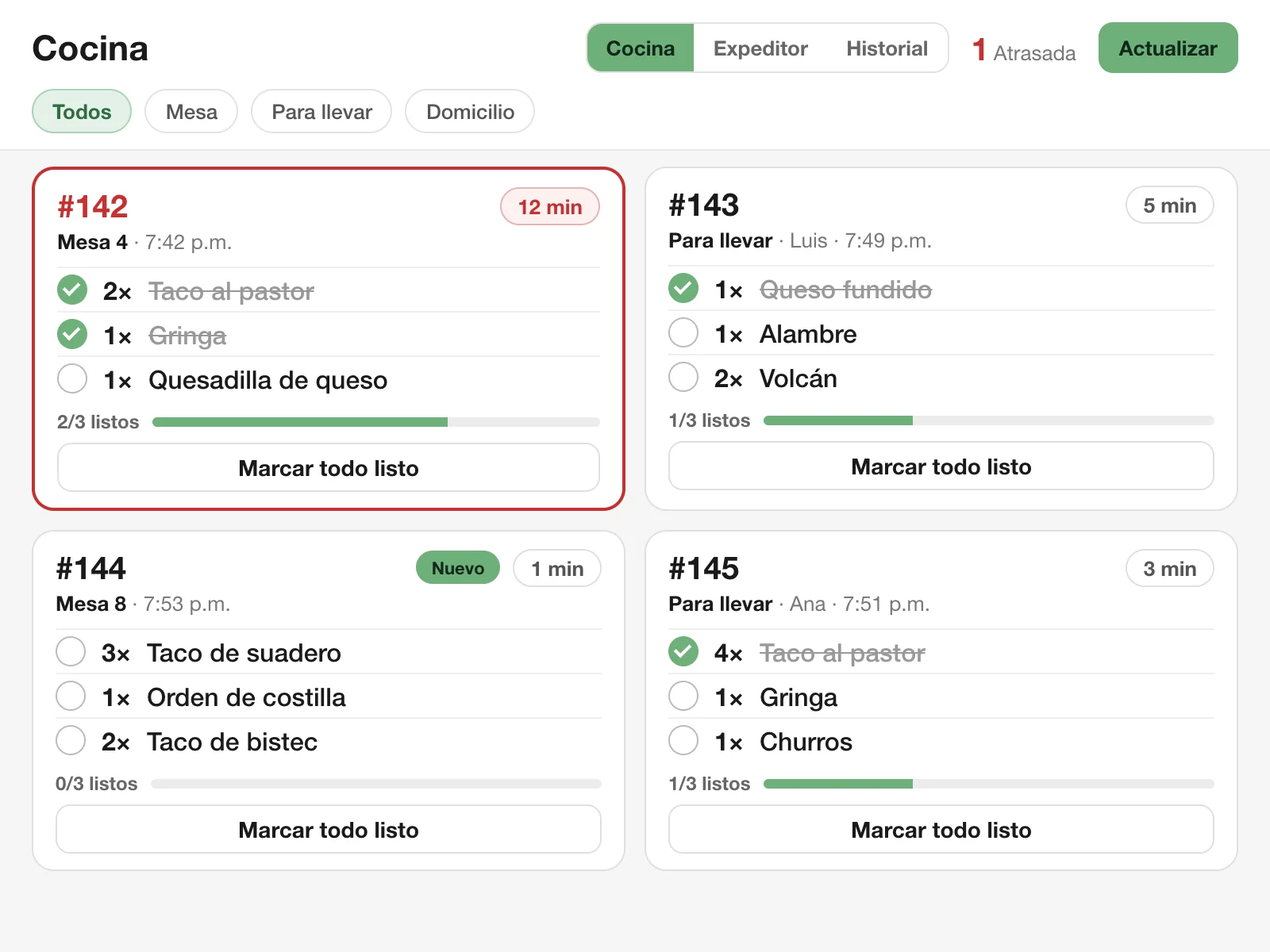
Yes. It shows up on the same screen as dine-in and counter orders, tagged as an online order, and the kitchen ticket prints by itself.
What if the customer pays by bank transfer?
You see the receipt in the order detail and approve or reject it from the web POS or the iPad.
Can I pause Sumo during a rush?
Yes. You pause Sumo from the dashboard and orders stop coming in until you remove the pause.
Download it and try it yourself.
Sign in with the demo account, set up your dining room, and explore the whole app without registering. When you're ready, start with your own data.
Free for Android and iPhone.
Works together with
See all features
Start free, sell the same day.
Free first month. Send your menu and start operating today, with no equipment or contracts.
Included from the Basic plan ($89 a month), first month free.